8.1 Return the Thesis
Return your thesis as a PDF-file to Wihi Plagiarism Check. The file must be named according to the naming convention, see below.
More details on the plagiarism check are in the reporting instructions.
In addition, return the other documents in pdf-format to Wihi (Files -area). Name the files according to the naming convention.
NB: Ask separately permission to publish your thesis in the Theseus. Do this only after the advisor has graded your work.
The thesis file
- Check, that the final title of your thesis (in the word-file) is the same as the project title in Wihi. If the thesis is written in English, the English title is written twice in Wihi (as an English title and as a Finnish title of the Wihi project). If the title is not the same, then change the Wihi-project title.
- Convert the thesis file to a pdf/a format. This is not the same as the “usual” pdf-file format. See instructions for conversion from the links of this page.
- Name the file according to the naming convention below.
- Submit the file to Wihi in phase 3, to the “Plagiarism check” in the middle of the Wihi screen.
(Note that this is not the same as the ”Draft plagiarism check” on the Wihi right hand side)
The other files to be submmitted
Submit the other documents to Wihi “Files” area in pdf format. The file names must be according to the naming convention, see below.
- self-assessment
- If the thesis has a client (commissioner), submit also thesis agreement and possibly a thesis confidentiality agreement (see chapter 3) and
- client’s feedback
Naming convention
Return your thesis, complete with appendices, and all the evaluation forms in PDF format.
Name the files according to this:
Thesis_Lastname_Firstname_groupcode.pdf
Selfassessment_Lastname_Firstname_groupcode.pdf
Selfassessment_Lastname_Firstname_groupcode_Lastname_Firstname_groupcode.pdf (if the thesis has two authors)
Thesisagreement_Lastname_Firstname_Unit.pdf
Feedback_commissioner_Lastname_Firstname_groupcode.pdf
A thesis that contains confidential appendices
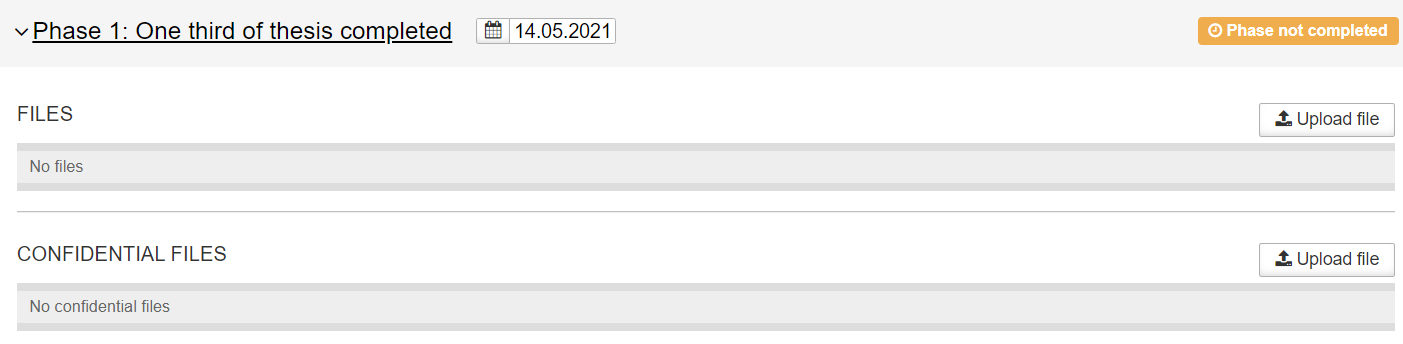
If your thesis has confidential attachments, submit the complete version, with the confidential parts, to Wihi in the ‘Confidential files’ area. Your advisor opens this area for you.(Figure 1). In addition, submit the public version of the thesis (without confidential attachments) to the Wihi Plagiarism Check.